Mac with Apple chip (M1, M2, M3, M4)
Most Macs bought since late 2020Coming very soon
The TAQNIX ERP Bahrain installer is being prepared. Write to info@taqnix.com and we will tell you as soon as it is available.
info@taqnix.comDownload
TAQNIX ERP for businesses in Bahrain: invoicing with 10% VAT, quotations, purchasing, point of sale and payment tracking, on your own Mac.

Coming very soon
The TAQNIX ERP Bahrain installer is being prepared. Write to info@taqnix.com and we will tell you as soon as it is available.
info@taqnix.comComing very soon
The TAQNIX ERP Bahrain installer is being prepared. Write to info@taqnix.com and we will tell you as soon as it is available.
info@taqnix.comIt says Chip: Apple M1, M2, M3 or M4: choose Mac with Apple chip.
It says Processor: Intel: choose Mac with Intel chip.
WindowsComing soon
There is no Windows version yet. We will announce it on this page. Until then, write to info@taqnix.com and tell us what you need.
Install it once, then open TAQNIX ERP from your Applications folder. It opens in your web browser.
Everyday invoicing and reports do not need an internet connection. Your data stays on your Mac.
Invoices carry 10% VAT, with amounts in the Bahraini dinar.
Work in Arabic or in English. Arabic screens and documents are laid out from right to left.
The install guide has short steps with the exact names of the buttons you will click, and what to do if something goes wrong.
Click through the screens before you install anything. It is a design prototype of the Saudi edition with fictional sample data (amounts in SAR, 15% VAT, ZATCA panels). The edition for Bahrain is set up for 10% VAT and ZATCA does not apply there.
Open the demoScreens of the dashboard, invoices, quotations, purchasing, point of sale and reports.
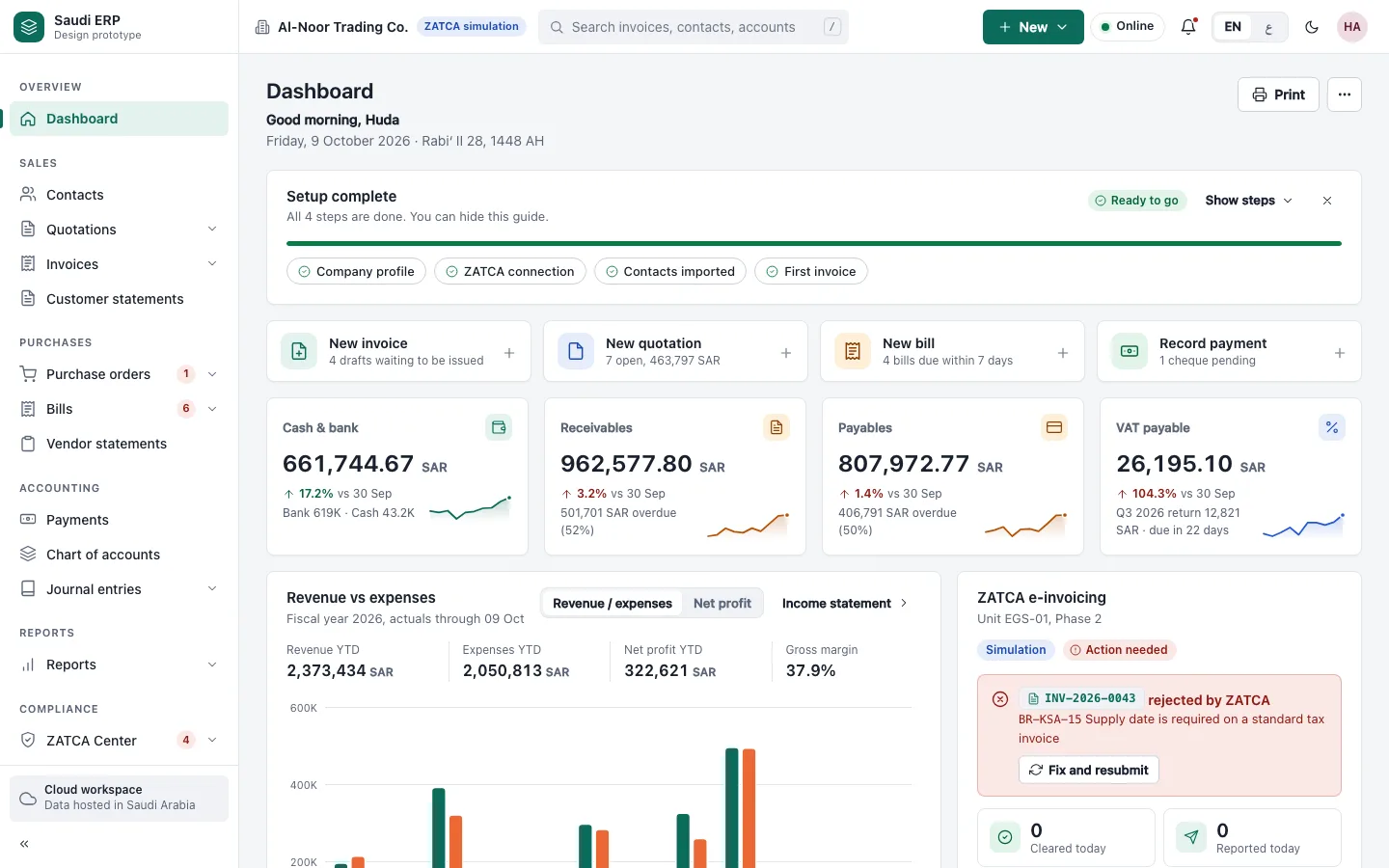
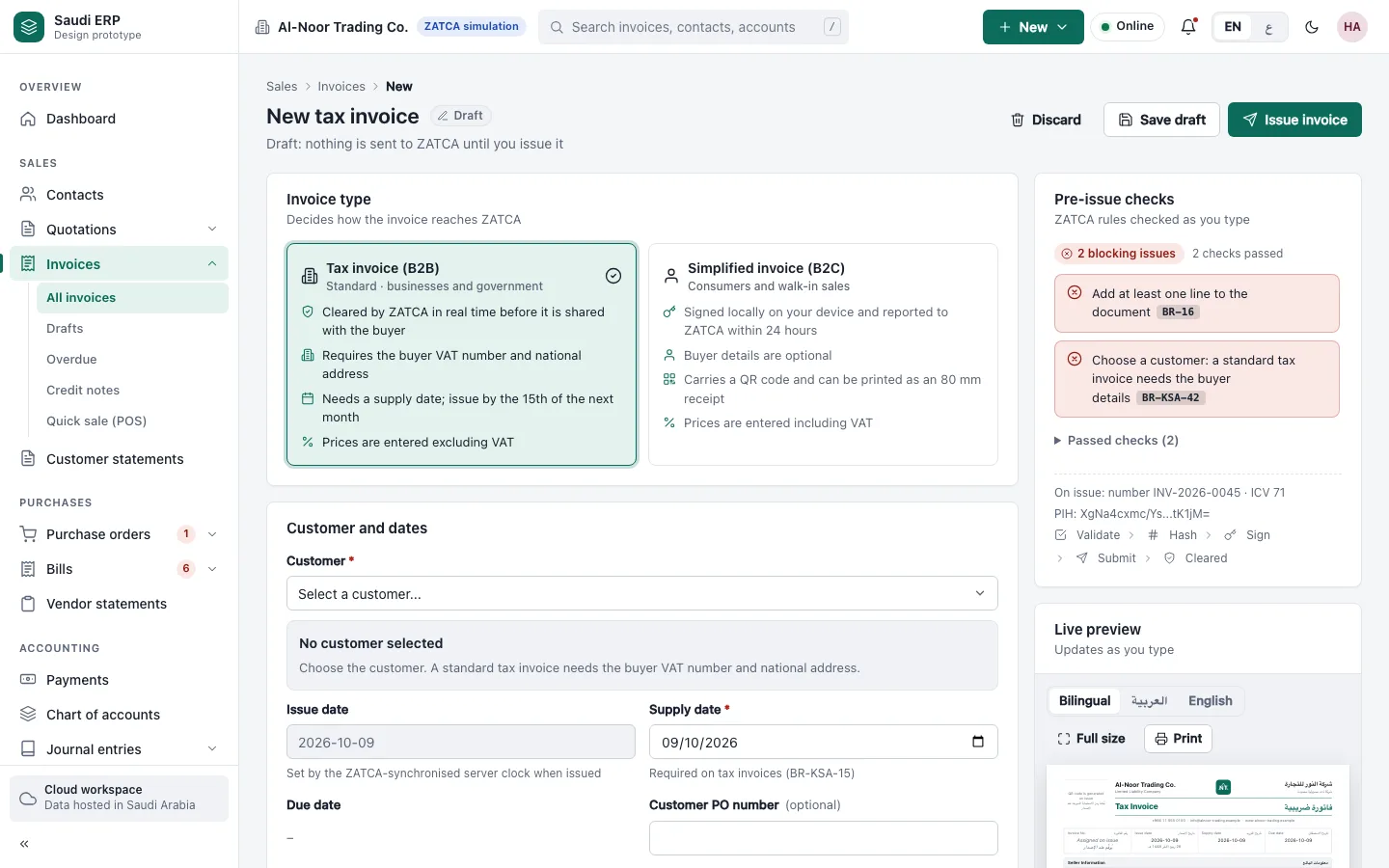
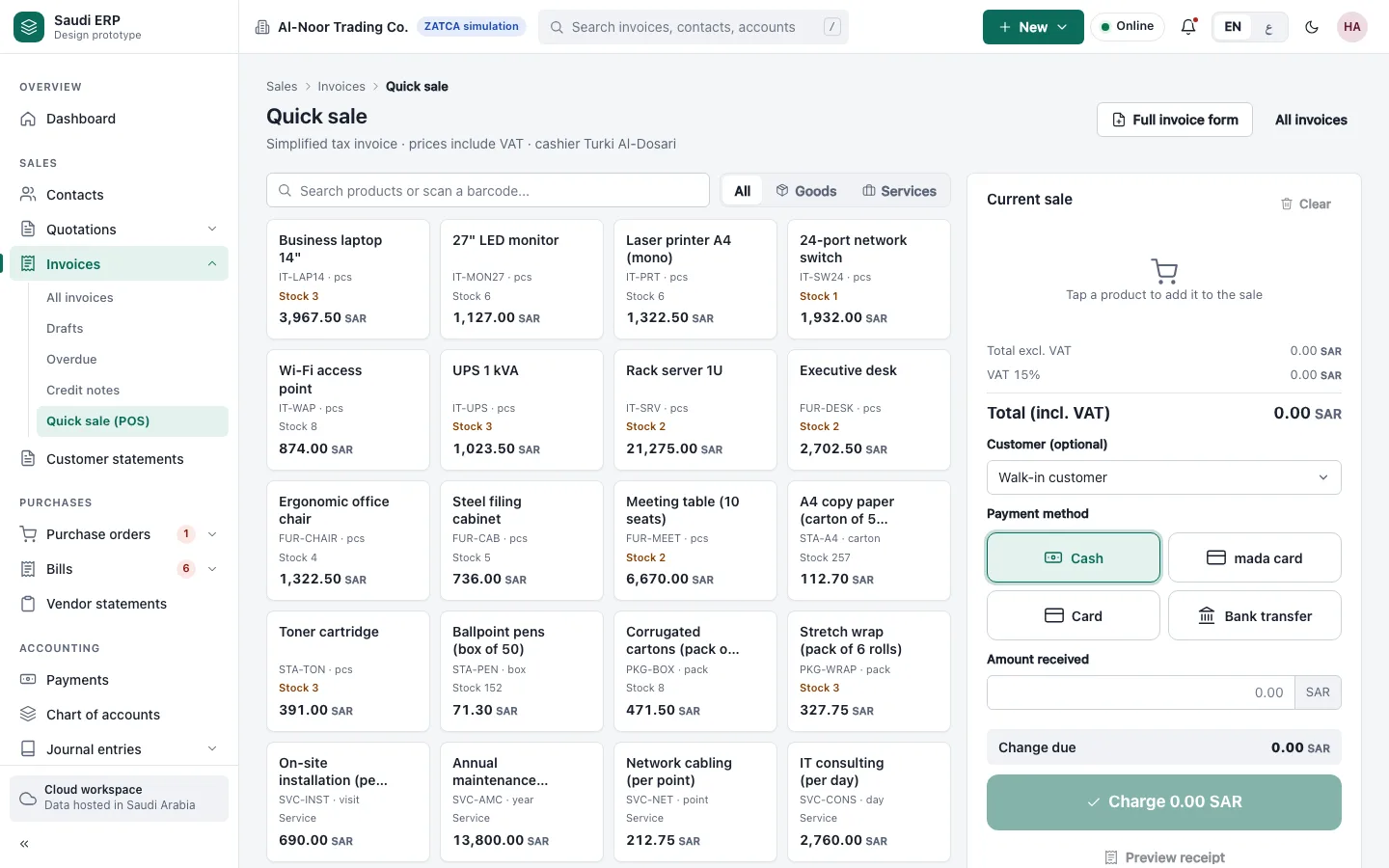
The pictures come from a design prototype of the Saudi edition: amounts are in SAR, VAT is 15% and some panels mention ZATCA. ZATCA does not apply in Bahrain; the edition for Bahrain is set up for 10% VAT.
TAQNIX ERP is a software tool, not tax advice. Check your obligations with the National Bureau for Revenue or your accountant. Questions: info@taqnix.com.
Describe your business in a few lines and we will reply with how TAQNIX ERP would fit it.